SB updates
How to use the Underpayment Tolerance feature
Damilola Oyelere
Mar 25, 2026
3 minutes
Underpayments happen when customers pay less than the expected amount, most commonly when paying via bank transfer and typing an amount manually. If you process a lot of transfers, small amount shortages like ₦50, ₦200, or ₦1,000 can quickly turn into hours of manual follow-ups and reconciliation.
Underpayment Tolerance feature helps you decide what’s acceptable versus what should be rejected automatically.
What is Underpayment Tolerance?
Underpayment Tolerance is a merchant-controlled setting that defines the maximum underpayment difference you’re willing to accept (a flat amount) per currency.
Once it’s set:
Payments that are underpaid by more than your tolerance are automatically rejected (bounced/reversed).
Payments that are underpaid by less than or equal to your tolerance are accepted and tagged as underpaid for easier reconciliation.
You can configure it directly from your Startbutton Merchant Dashboard:
Log in to your Startbutton Dashboard
Go to Settings
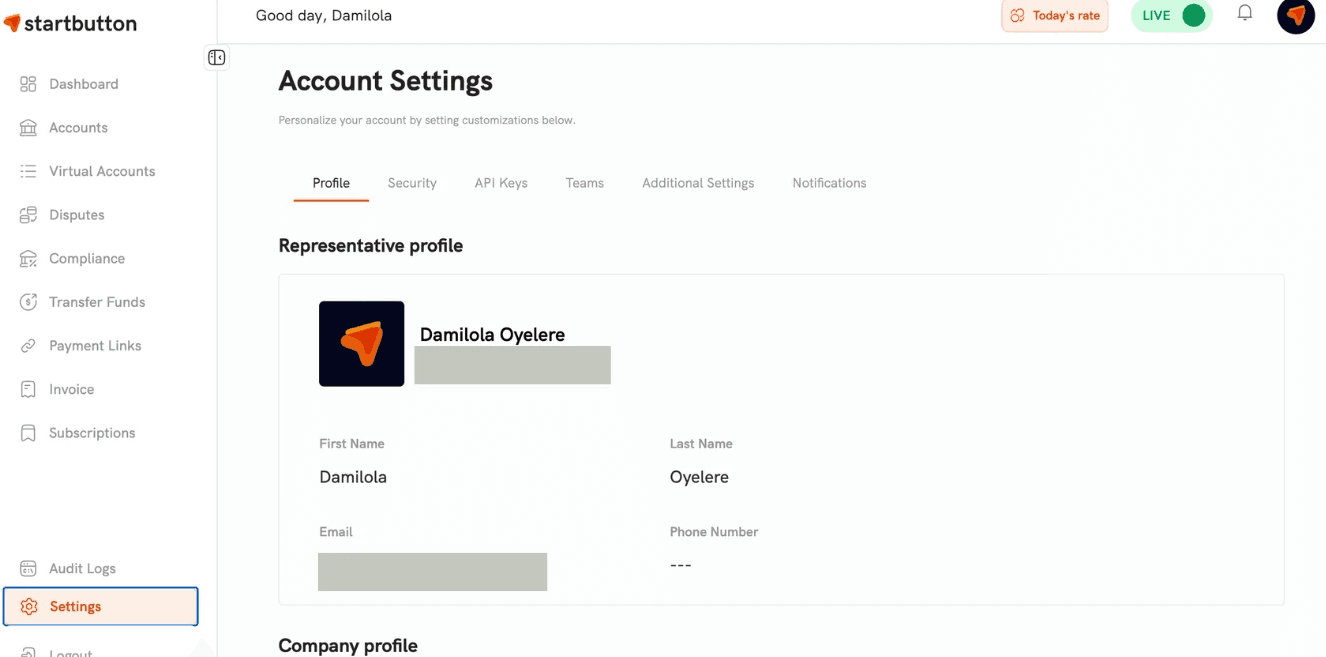
Click on "Additional settings" on the top bar to "configure" the Underpayment Tolerance section
Set a flat threshold amount per currency
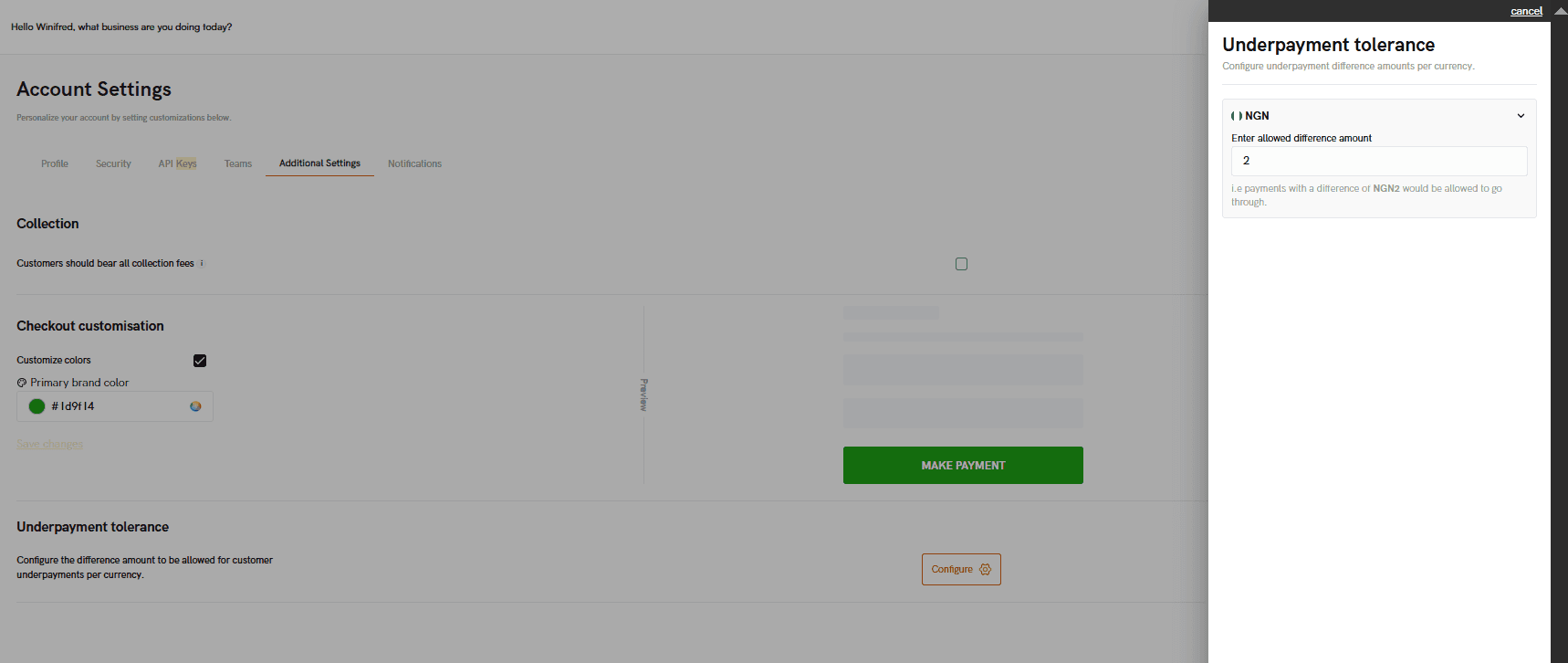
Click on Save
How it works with practical examples
Example 1: Small underpayment
A customer is meant to pay ₦100,000 but sends ₦99,950.
If your operations can’t tolerate discrepancies, request a top-up or refund, and request a new payment.
If you’ve set a tolerance and the shortage is within your acceptable range, accept and reconcile with your team.
Example 2: Large underpayment
A customer is meant to pay ₦100,000 but sends ₦60,000.
Most businesses do not fulfill.
Either request a new payment for the full amount (then refund the ₦60,000) or follow your support workflow.
Example 3: Overpayment
A customer is meant to pay ₦100,000 but sends ₦120,000.
Confirm the overpayment tag/excess amount.
Refund the extra ₦20,000 (or refund the full amount and request a clean re-payment for strict workflows).
How Underpayment tolerance affects reconciliation
Underpayment Tolerance improves reconciliation in two ways:
1) It reduces “clutter” in your transaction list: Instead of accepting every small underpayment and forcing your team to review and decide what to do, transactions that fall outside your tolerance are blocked automatically.
2) It makes the remaining underpayments intentional and easier to track: For underpayments you accept (within tolerance), tagging makes it easier to:
identify discrepancies quickly
match them to the expected/initiated transaction
decide the next step (top-up request, partial fulfillment, or refund)
What to do when a customer underpays
Step 1: Check the transaction tag and details
Confirm the expected amount, the received amount, the shortage, and whether it was accepted (within tolerance) or rejected (above tolerance)
Step 2: Choose your business outcome. Common merchant policies ranges from
Request a top-up for the outstanding difference
Provide value partially (only if your business supports partial delivery)
Refund the received amount and ask the customer to retry with the correct amount
Step 3: Use transaction details to trace the original context
When a payment is tagged as underpaid, you can use the transaction details view to retrieve the “original” transaction context (like the expected reference/order context), which helps your Ops/Support team communicate clearly with the customer.
Step 4: Initiate a refund if needed
Refunds can be initiated via:
The Merchant Dashboard
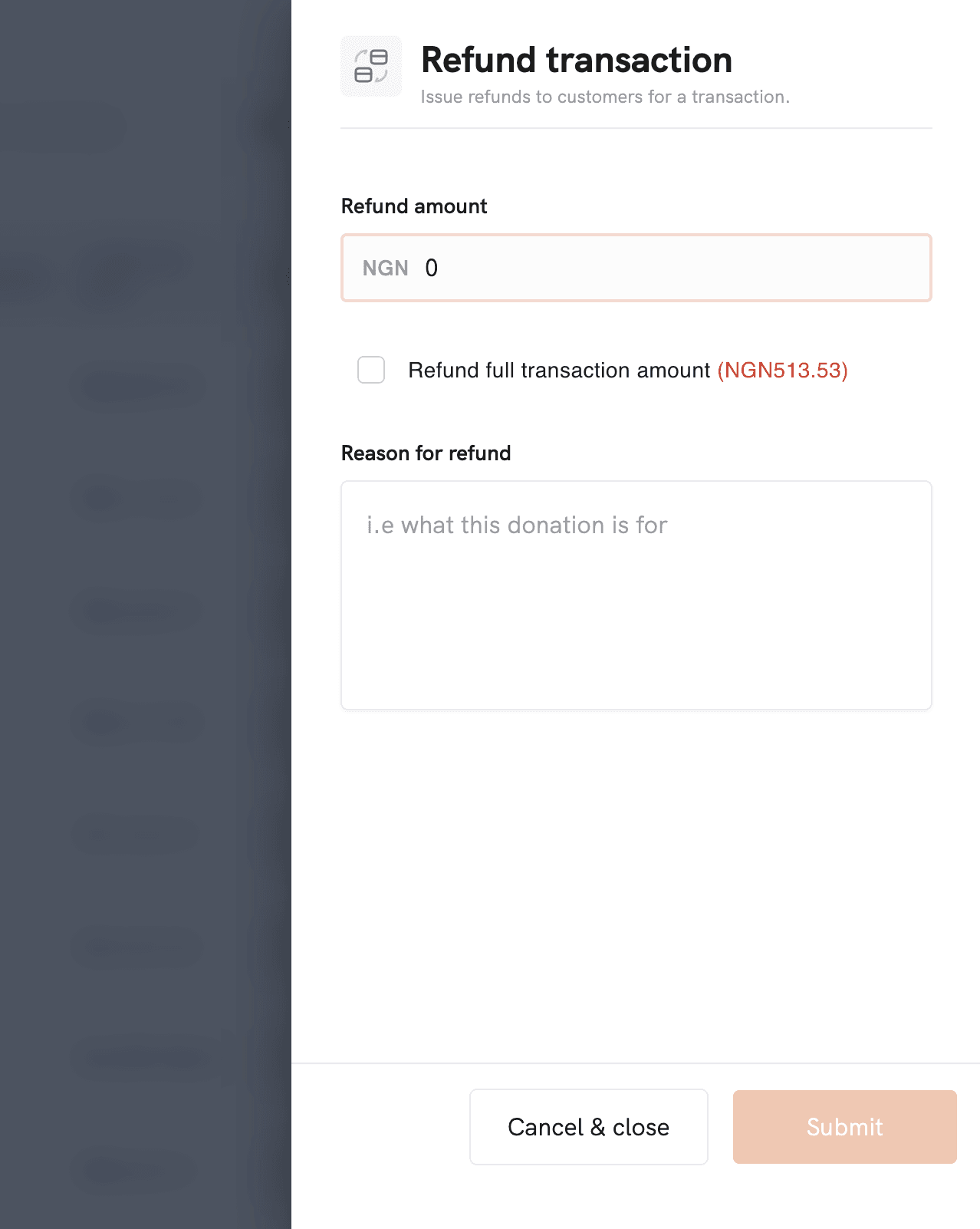
The Refunds API
(You can refund the full amount, or set an amount for partial refunds depending on your workflow.)
Recommended setup guidelines (how to choose a threshold)
Your best threshold depends on what underpayments look like in your business. A practical way to decide:
If your typical order value is low and margins are tight, use a strict tolerance (small number).
If your typical order values are high and customers occasionally miss small amounts, use a slightly higher tolerance, but keep it low enough to avoid abuse.
Also consider:
How much time does your support team spend resolving underpayments?
Do you support partial value delivery?
Whether fees/charges commonly cause small “mistyped amount” discrepancies
FAQs
1) Do I still need to contact Startbutton support to set this up?
No, you can set, view, and update Underpayment Tolerance directly from your dashboard settings.
2) Is the tolerance the same for every currency?
No. You can set a different value per currency (depending on what’s available for your account/currencies).
3) What happens when a customer underpays above my tolerance?
The payment is rejected (bounced/reversed). You don’t receive the funds.
4) What happens when a customer underpays within my tolerance?
The payment can be accepted and tagged as underpaid, so you can reconcile and decide next steps
5) Can I set the tolerance to Zero?
Yes. Setting it to 0 means you’ll accept all underpayments (i.e., no automatic rejection based on tolerance).
6) Does this apply to all payment methods?
Underpayment Tolerance is most relevant for bank transfers, where customers manually enter an amount, and discrepancies are common.