SB updates
How to convert any currency seamlessly on Startbutton
Damilola Oyelere
May 14, 2026
3 minutes

Cross-border transactions in Africa become easier when a system provides multiple payment channels and supports various currencies for transactions; this reduces currency depreciation, lowers drop-offs, and minimizes cart abandonment.
Currency Conversion on Startbutton helps you move value between currencies without leaving your dashboard, so you can collect in one currency, operate in another, and keep your treasury simple and clean.
Why Currency conversion matters
If you sell across multiple countries, you’ll often:
Collect in local currencies
Pay suppliers in a different currency
Prefer to hold funds in hard currencies like USD, EUR, GBP for reporting or payouts
Currency Conversion lets you do that directly on Startbutton
How Currency Conversion works on the dashboard
On the Startbutton dashboard, a conversion is a request to move funds from one currency balance (your “from” wallet) into another currency balance (your “to” wallet).
Step 1: Choose what you want to convert
Log in to your Startbutton dashboard.
Go to the area where you manage balances/wallets.
Select the currency you want to convert from (the balance you currently have).
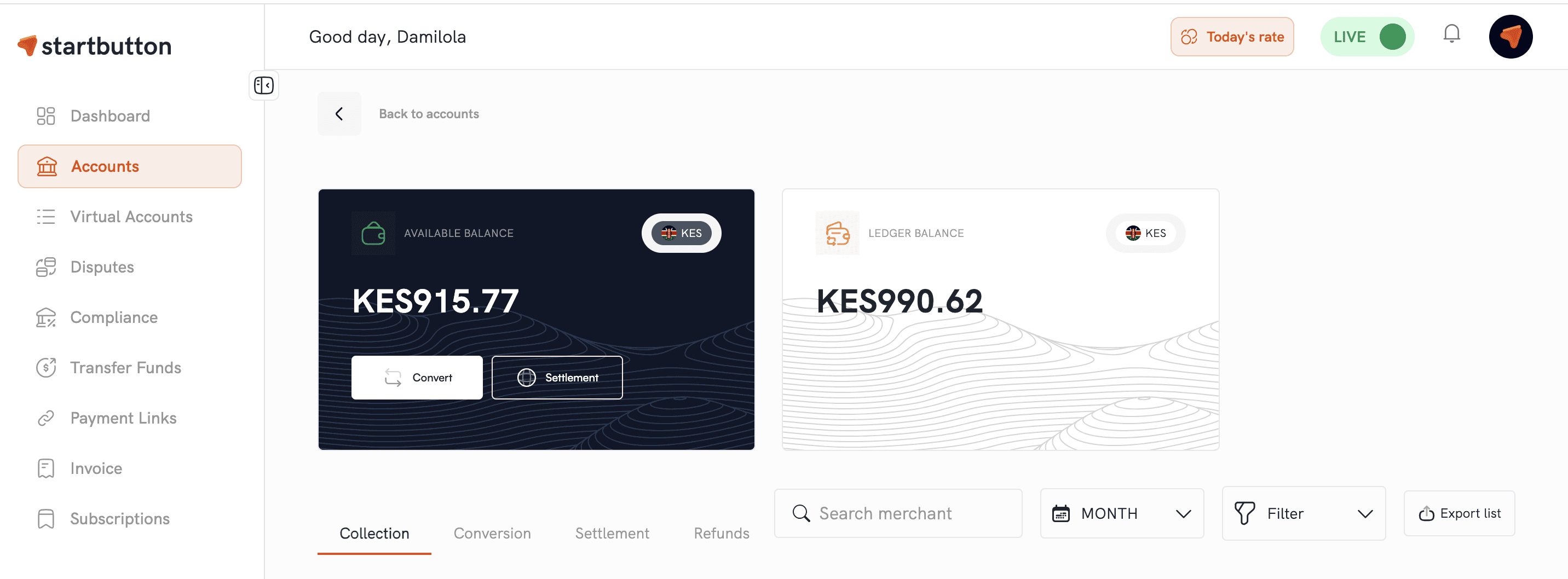
Step 2: Start a conversion request
Click the Convert button.
Select the currency you want to convert to.
Enter the amount.
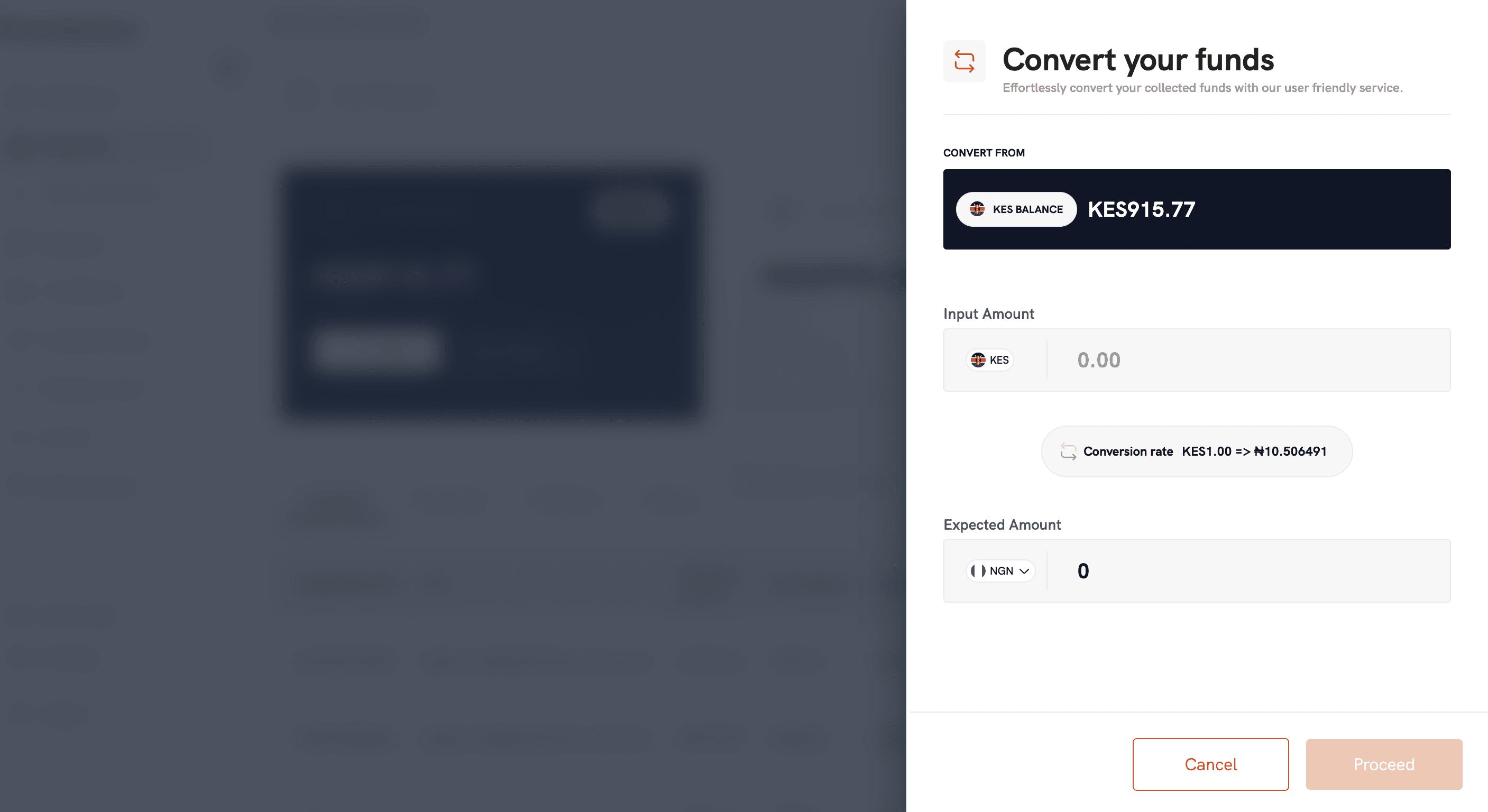
Step 3: Review the conversion summary
Before you confirm, review:
The currency you are converting from (source currency) and amount
The currency you are converting to (target currency)
The conversion rate shown
The expected amount you’ll receive
Step 4: Confirm and track status
Once you confirm:
A conversion request is created.
You can track the conversion status from your dashboard (e.g., pending → successful).
When the conversion is successful, the value is reflected in the target currency balance.
Whether you convert via dashboard or API, Startbutton can notify you when conversions are complete through
Webhook updates for pending and successful conversions
Email notifications with conversion details
Common ways merchants use the Currency conversion feature
1) Funding payout wallets
If you need to make payouts in a currency you don’t currently hold, you can convert into that currency first (e.g., convert from your local currency or USD to another local currency to fund a payout wallet).
2) Simplifying reporting
Many merchants prefer to convert fragmented local-currency collections into one main currency for easier reconciliation.
3) Supporting cross-border operations
Collect in one market, convert, then settle or pay vendors in another currency, without moving funds out of Startbutton.
Other ways to convert currencies (besides the dashboard)
If you want to automate conversions in your product:
Convert currencies via API: You can easily call the Currency Conversion API, with the required parameters such as the amount, source currency, and target currency parameters. The system retrieves the latest exchange rate and performs the conversion automatically, returning the converted value to your system. Contact our support team to fully integrate this on your dashboard.
Auto-conversion per currency: You can also automate currency conversions per currency when you don't want to manually convert every time. You get to define which currencies should be auto-converted (based on what’s enabled for your account). Future collections in those currencies can be converted automatically to your preferred target currency to simplify reconciliation.
FAQs
Do I need an API integration to convert currencies?
No. You can convert currencies directly from your Startbutton dashboard. (API is optional for automation.)
Are conversion rates updated in real time?
Conversions use the most up-to-date exchange rates available at the time of request.
How do I know a conversion is completed?
You can track the conversion status on the dashboard, and you may also receive email/webhook updates.