SB updates
How to handle Under & Over Payments transactions
Damilola Oyelere
Mar 17, 2026
3 minutes
Payment discrepancies happen, and they’re more common than you think. A customer may send less than the amount you requested, or send more than expected. Either way, you’re left with questions like, Is the order fully paid for? Should you give value since the amount received is less than the intended cost of the service or product? How do you reconcile it quickly? What do you refund (and how)?
This guide breaks down what underpayments and overpayments are on the Startbutton dashboard, what happens when they occur, and the practical steps to resolve them without slowing down your business.
What counts as an underpayment vs. an overpayment?
When a customer pays via bank transfer, Startbutton compares the expected/initiated amount (what the customer was meant to pay) to the received amount (what actually hit the account)
If the received amount does not match the expected amount, Startbutton categorizes the payment:
Underpayment: the received amount is below the expected amount.

Overpayment (excess payment): the received amount is above the expected amount.

How to handle an underpayment
Step 1: Confirm the discrepancy, check the transaction details, and compare the initiated amount, the received amount, and the difference.
Step 2: Decide the business outcome. Most businesses use one of these policies:
Strict policy: do not provide value until the full amount is received.
Grace policy: Provide value if the shortage is small and within an acceptable tolerance.
Refund policy: refund the payment if it can’t be completed or will cause operational issues.
Step 3: Click on "Dashboard" or "Account" in the left menu corner to locate the underpaid transaction currency.
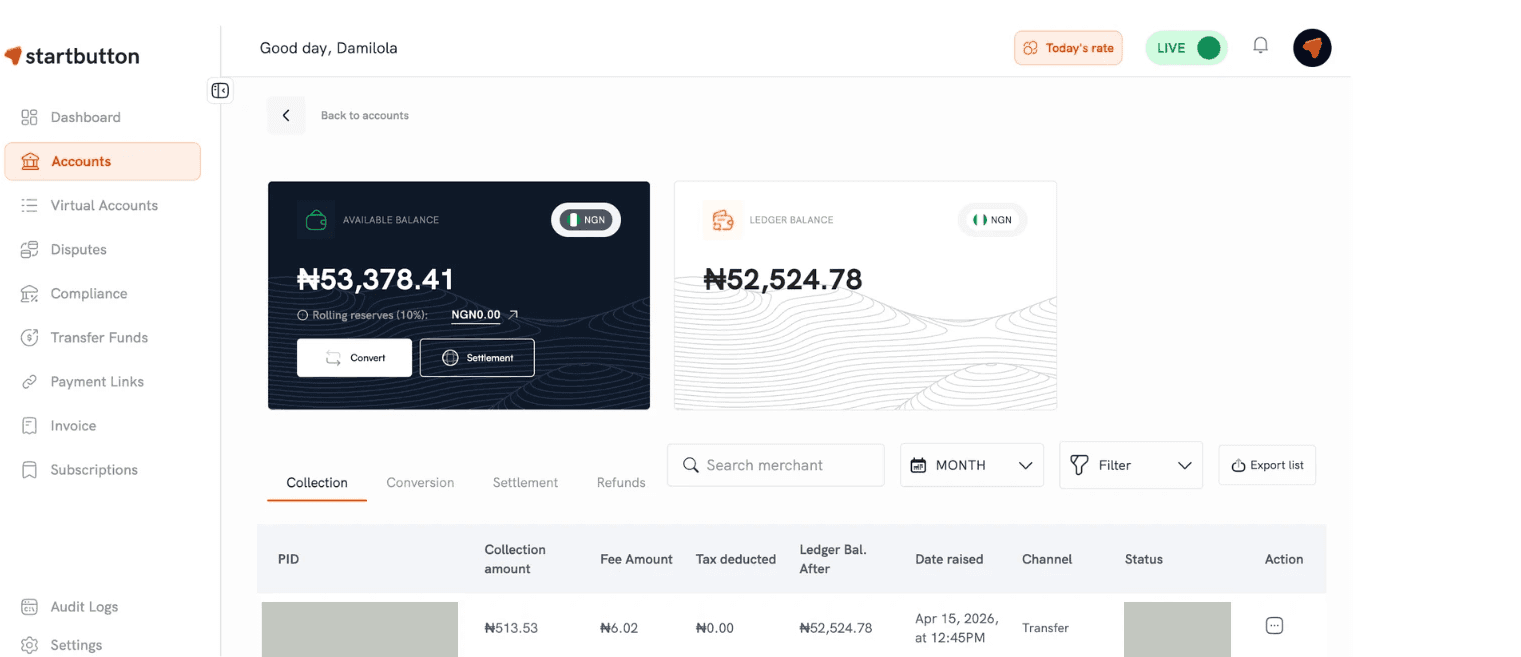
Step 4: Use “View details” to find the original reference. For underpaid transactions, you can locate the original transaction reference/order number from the transaction details.
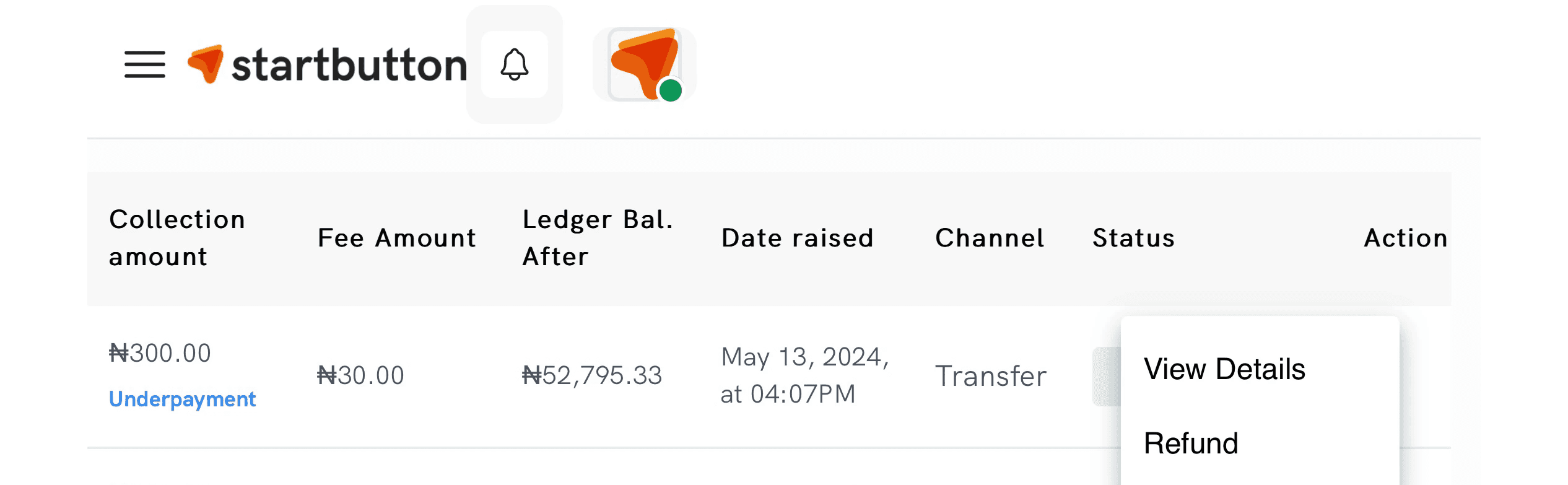
Step 5: Click the […] action menu beside the transaction status row, Open the transaction by clicking on "View details" to confirm the reference number
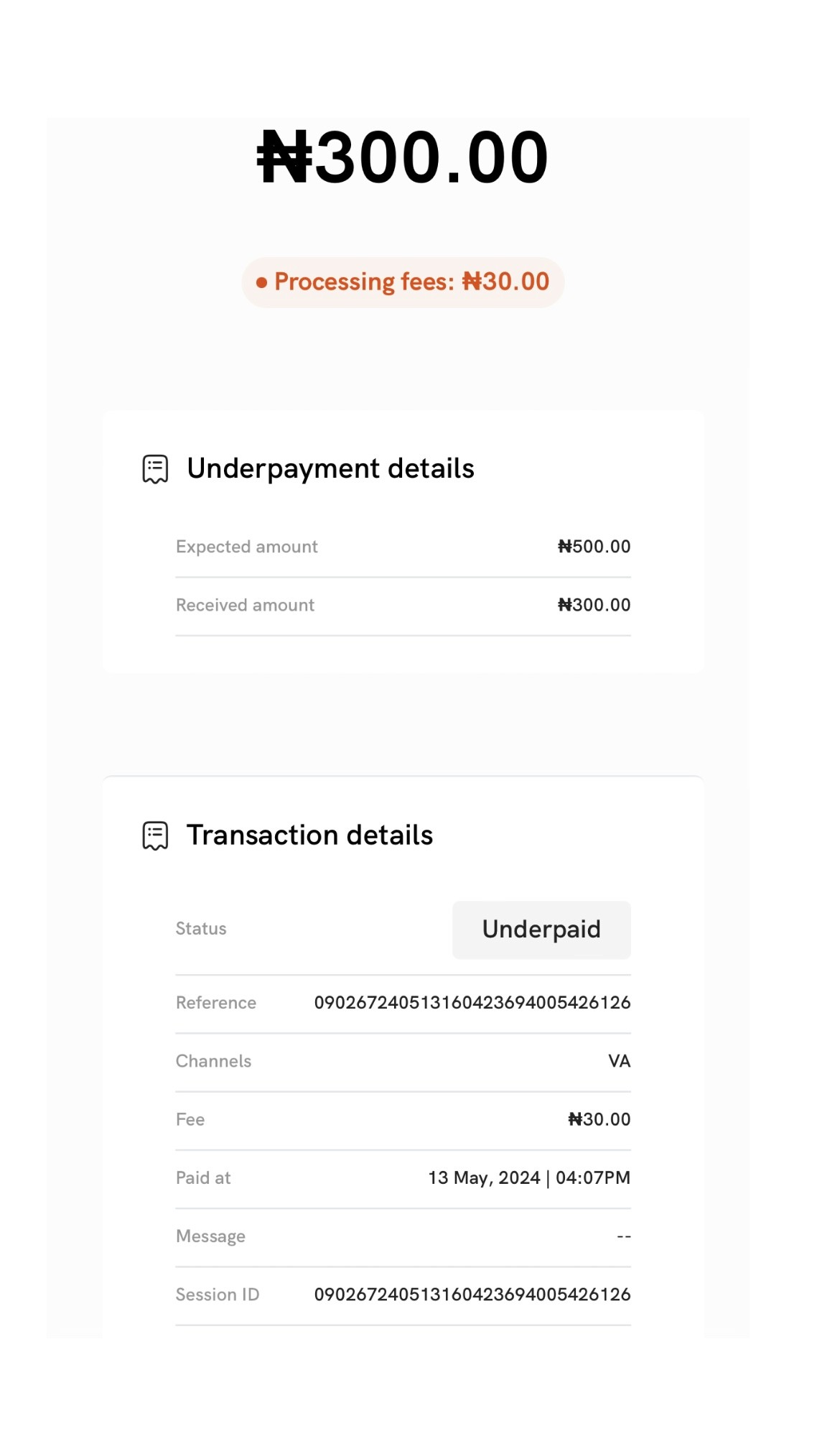
Step 6: Go back to Click on "Refunds" to initiate the refund process, you can initiate a refund from:
Dashboard (manual)
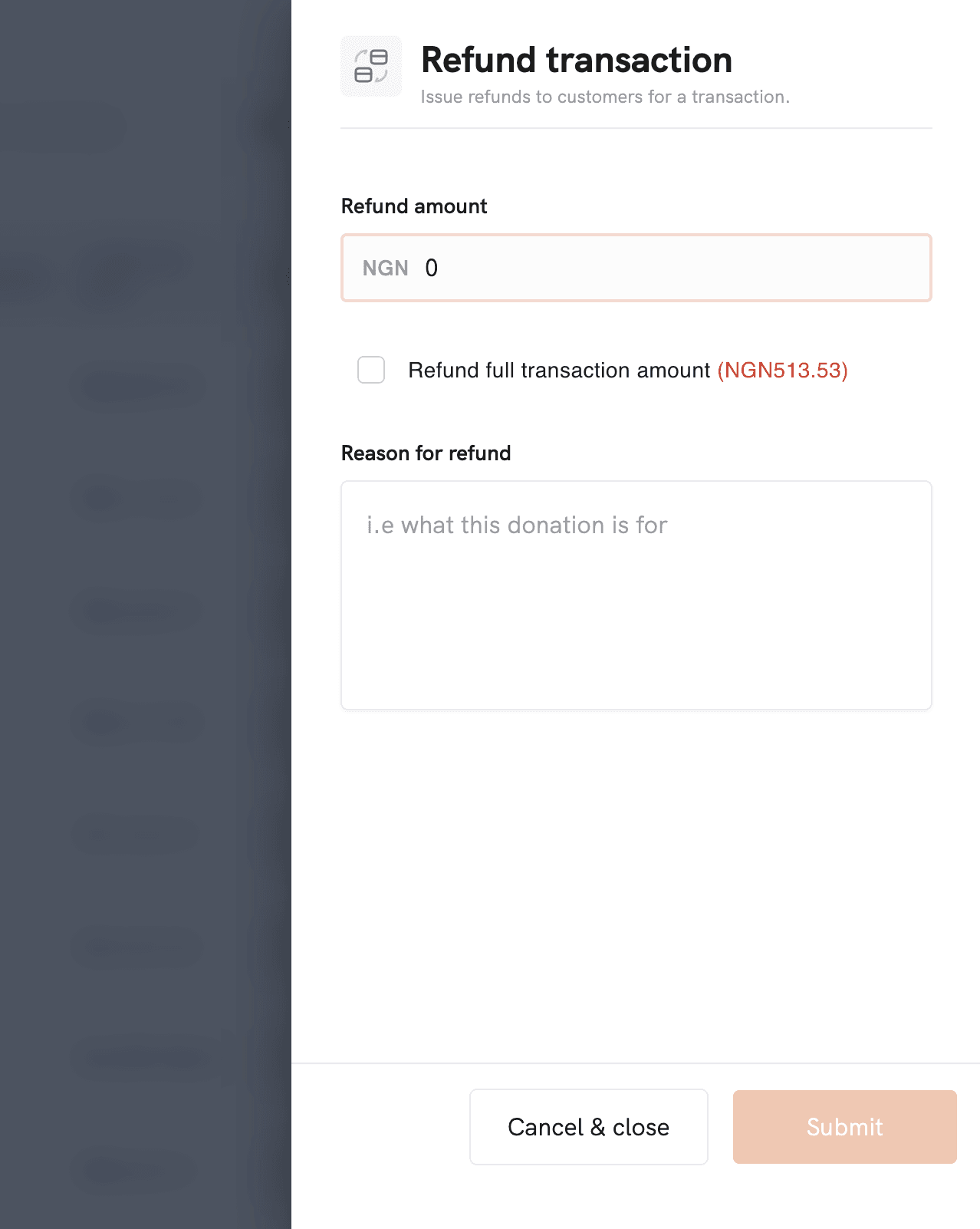
API (programmatic)
If you specify an amount, you can do a partial refund; if you leave the amount blank (API), Startbutton refunds the full amount.
How to handle an overpayment
Step 1: Confirm if it’s truly an overpayment
Overpayments are often caused by customers typing the wrong amount, duplicated transfers, or misunderstanding the fee breakdown
Step 2: decide what you want to do with the excess
Refund the excess (most common)
Keep as wallet credit (if your business supports it and has consent)
Refund the full amount and request a clean re-payment (for high-risk cases)
Step 3: Use “View detail” to retrieve the original reference number
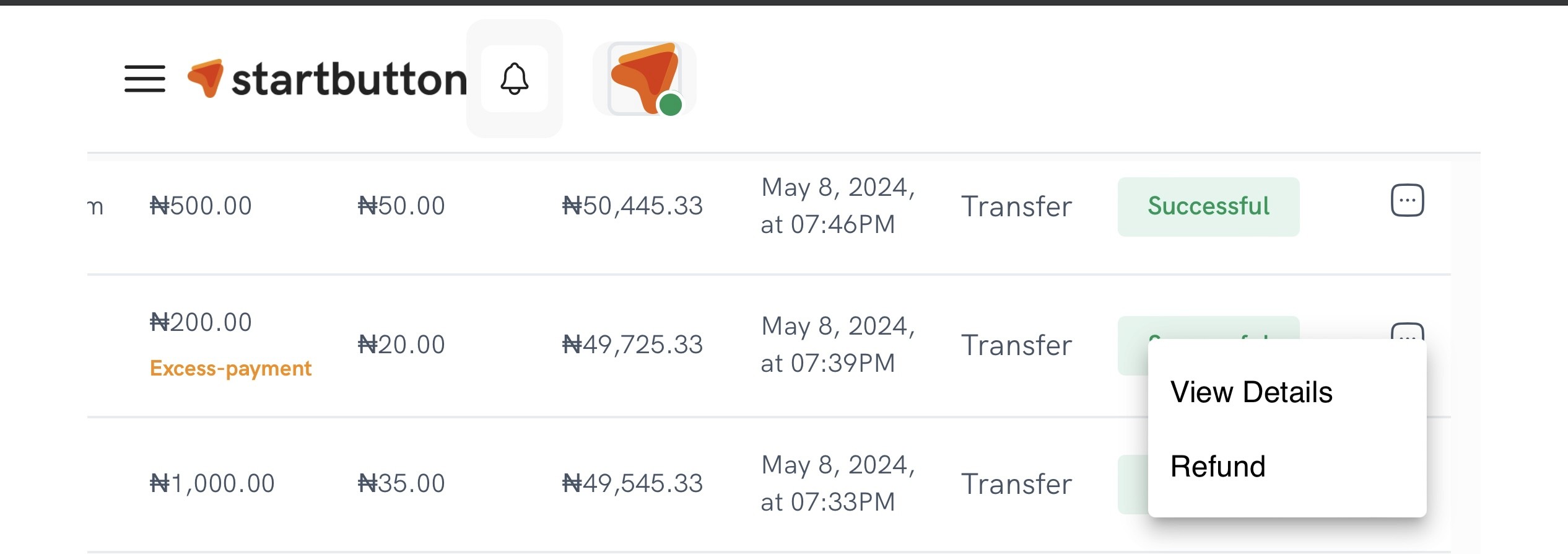
Step 4: Initiate the refund. Refunds can be initiated via:
dashboard action button (Refund)
API refund endpoint
When initiating a refund from the dashboard, you’ll typically:
Select the transaction
choose Refund
Enter the refund amount (full or partial)
Enter a reason
submit
The Transaction receipt looks like the image below
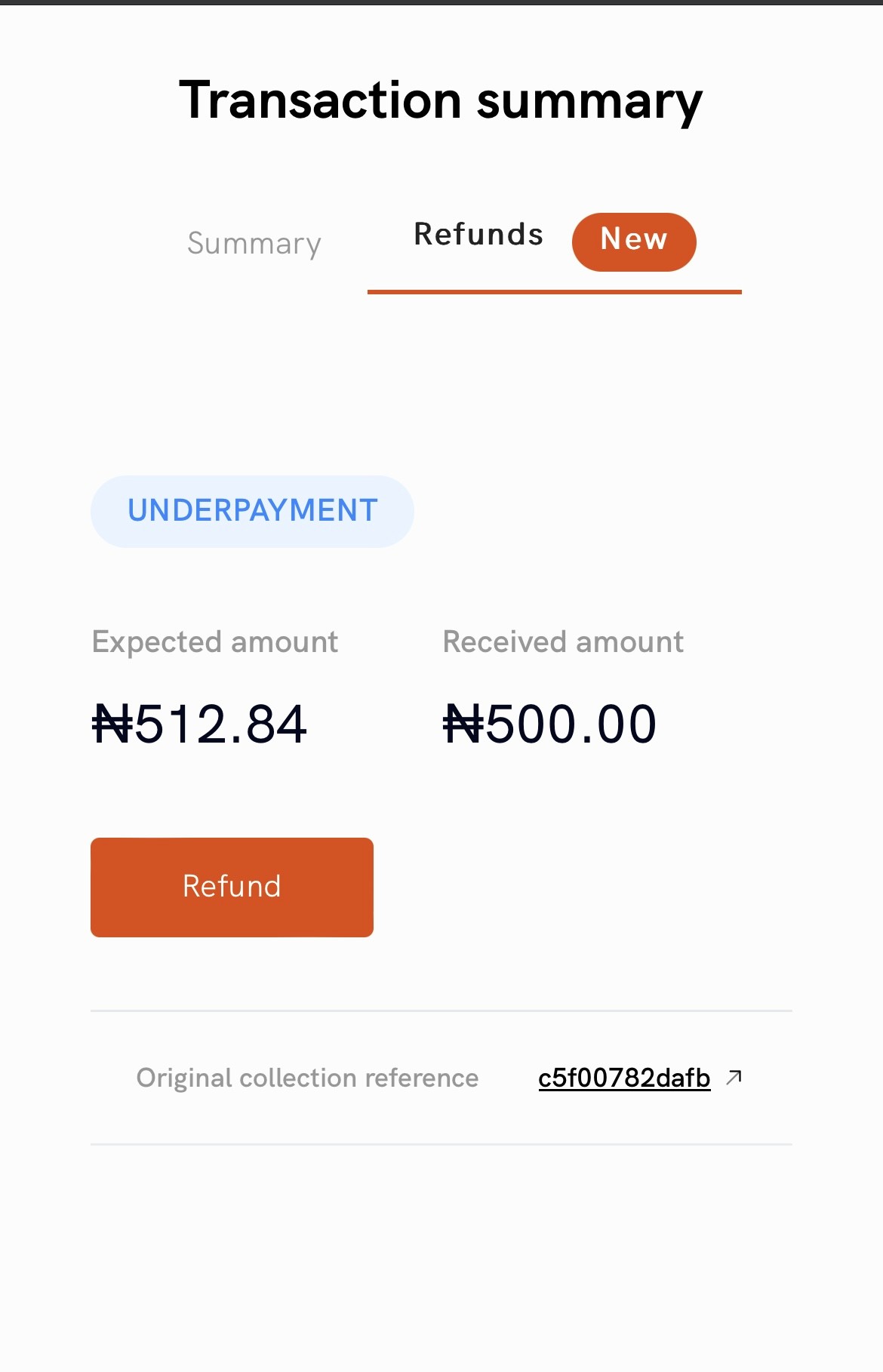
Note: You can’t refund more than the transaction amount, and you’ll be able to track refunds from the Refunds tab for the currency/account used
If your business frequently receives “random small differences” (e.g., ₦50 shortfalls), you can reduce noise by using Underpayment Tolerance.
Why this matters (and what it can break)
Under & over payments can create real operational friction. During reconciliation days, your finance team is delayed by spending valuable time matching bank transfers to orders, customers insist they’ve paid even when the amount is clearly off, and your dashboards and accounting exports become harder to trust due to inaccurate reporting of transactions and services provided.
The goal is simple: detect the discrepancy early, keep your records clean, and resolve the difference quickly. When an underpayment or overpayment occurs, Startbutton helps by doing three things:
Tags the payment so it’s easy to spot during reconciliation.
Keeps the transaction traceable by making it possible to find the “original” transaction reference/order context.
Enable refunds so you can return funds (either the full amount or part of it), depending on your resolution path.
Frequently asked questions
1) Can I refund an underpayment or excess payment?
Yes. Refunds can be initiated for transactions tagged as underpayment or excess payment.
2) Can I refund partially?
Yes. You can specify a refund amount (dashboard), and via API, you can optionally set the refund amount; leaving it blank triggers a full refund.
3) Do I get notified when discrepancies happen?
Discrepancies can be tagged, and you can receive webhook notifications (depending on your integration and event configuration).
4) Does this apply to every payment method?
The core under/over payment flow is designed for bank transfer transactions where customers manually input the amount.